Spotify Volume Booster — Make Spotify Louder
If Spotify music sounds too quiet, you may want more volume without changing the original audio or installing complicated desktop software.
SonicLab's Spotify Volume Booster gives you a simple way to increase the level of supported Spotify audio when the normal volume controls are not enough.
If you listen to Spotify through a supported desktop browser, you can use the SonicLab Volume Booster Extension to amplify browser audio, including supported Spotify Web Player playback.
If you have a compatible audio file that you are legally permitted to use, you can also use the SonicLab Volume Booster to increase its level directly in your browser.
If your actual goal is stronger low-end impact rather than simply louder playback, the SonicLab Bass Booster is the better choice.
No complicated audio software is required.
Quick answer: To make Spotify louder on a supported desktop browser, open Spotify Web Player and use the SonicLab Volume Booster Extension to add browser-level amplification. Start with a moderate boost and reduce it if the audio becomes harsh or distorted.
How to Make Spotify Louder
There are several ways to increase the level of Spotify audio depending on how you listen to your music.
Use the SonicLab Volume Booster Extension
If you're listening to Spotify through a supported desktop browser, the easiest option is the SonicLab Volume Booster Extension.
Install the extension, open Spotify Web Player, start playing music, and use the volume controls to increase the browser audio level where supported.
This is particularly useful when Spotify's normal volume setting is not loud enough for your listening setup.
The extension does not change the original music file. Instead, it works with the audio being played through the supported browser environment.
Use SonicLab's Online Volume Booster
If you have a compatible audio file stored on your device, you can use the SonicLab Volume Booster to increase its level directly in your browser.
A typical workflow is:
- Open SonicLab's Volume Booster.
- Upload a compatible audio file.
- Adjust the amplification level.
- Preview the result.
- Download the processed file.
This approach is intended for audio files you are legally permitted to use.
It can be useful when you want to permanently create a louder version of an audio file rather than temporarily increase playback volume.
Want More Bass Instead?
Increasing volume and increasing bass are not the same thing.
If your goal is to make music sound deeper, warmer, or more powerful, the SonicLab Bass Booster is the more appropriate tool.
Use the Volume Booster when the overall level is too low.
Use the Bass Booster when the volume is acceptable but the music lacks low-end presence, punch, or depth.
Spotify Volume Booster for PC
A Spotify volume booster for PC can be useful when music is playing at a lower level than you want, particularly when listening through Spotify Web Player in a desktop browser.
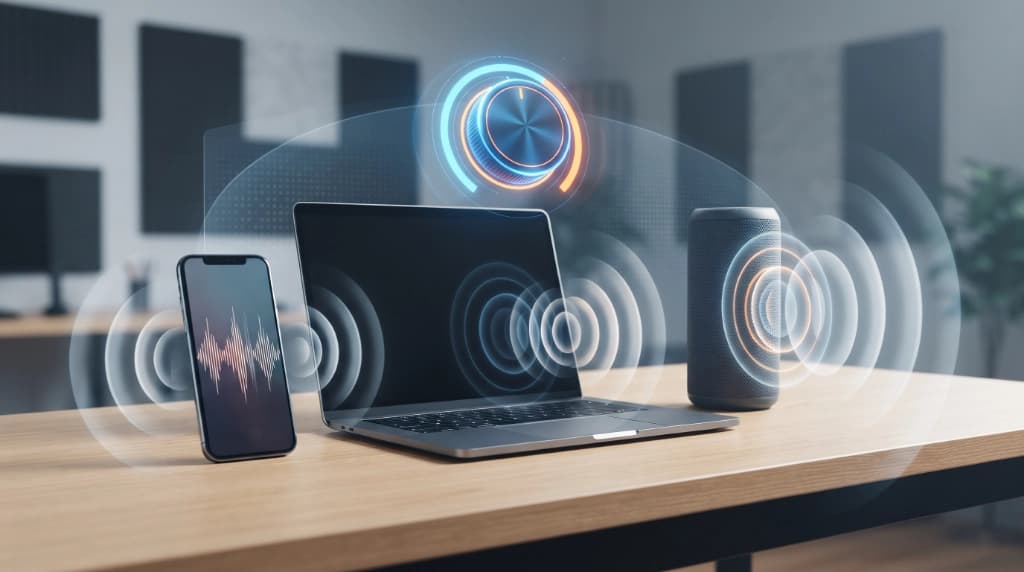
The SonicLab browser extension provides a convenient way to control amplified browser audio without requiring a separate system-wide audio application.
Depending on your browser and extension version, you can use SonicLab's volume controls to increase the level of supported browser audio.
Why Use a Spotify Volume Booster on PC?
A volume booster can be useful when:
- Spotify music sounds quieter than expected
- You want additional browser-level volume control
- Your computer's normal volume range is not sufficient
- You want more control over browser audio
- You want to adjust audio without changing the original file
- You want a lightweight browser-based solution
The extension does not replace Spotify's own volume controls.
Instead, it provides an additional layer of audio amplification where supported.
Before using additional amplification, make sure your Spotify volume, operating-system volume, and headphone or speaker volume are already set appropriately.
Spotify Volume Booster Extension
The SonicLab Volume Booster Extension is designed for users who want to increase browser audio while listening to Spotify and other supported websites.
Rather than creating a Spotify-specific audio player, the extension works at the browser-audio level.
This means the same volume booster can also be useful for other web-based audio and video content.
How the Extension Works
The basic workflow is simple:
- Install the SonicLab Volume Booster Extension.
- Open Spotify Web Player in a supported browser.
- Start playing your music.
- Open the Volume Booster extension.
- Enable audio boosting.
- Adjust the amplification level.
- Listen to the result and choose a comfortable level.
Start with a moderate increase rather than immediately selecting the highest available level.
Excessive amplification can make already-loud audio sound harsh, clipped, or distorted.
Supported Browsers for Spotify Volume Boosting
SonicLab is developing browser extensions for multiple major browsers, giving users different ways to control web audio.
| Browser | SonicLab Extension |
|---|---|
| Google Chrome | Volume Booster Extension |
| Microsoft Edge | Volume Booster Extension |
| Mozilla Firefox | Volume Booster Extension |
| Safari | Volume Booster Extension |
| Opera | Volume Booster Extension |
| Other supported Chromium browsers | Depending on extension compatibility |
Extension availability can vary by browser, operating system, and extension version.
Use the official browser extension store when the SonicLab extension is available there.
If a particular browser version is not currently supported, use a supported browser rather than installing an extension from an unknown third-party source.
Install the Spotify Volume Booster From Your Browser's Extension Store
The preferred way to install the SonicLab extension is through the official extension store for your browser when the extension is listed there.
Depending on your browser, this may include marketplaces such as:
- Chrome Web Store
- Microsoft Edge Add-ons
- Firefox Add-ons
- Safari extensions
- Opera's extension ecosystem
Installing from the browser's official store provides the normal browser-managed installation experience.
Always use SonicLab's official extension listing or SonicLab's own website rather than downloading an extension from an unknown third-party source.
Download the SonicLab Extension Directly
If a SonicLab extension version is not currently listed in your browser's extension store, SonicLab may also provide an extension package through its website where supported.
The exact installation process depends on the browser and extension package.
For browsers that support installing an extension package manually, users may need to enable the browser's extension or developer installation options and load the package according to that browser's requirements.
This provides another way to access the SonicLab extension when store availability differs between browsers.
Use only extension packages provided directly by SonicLab or another trusted source.
Make Spotify Louder Without Changing the Music File
One advantage of browser-based volume boosting is that you can increase the playback level without modifying the original audio.
The Volume Booster operates on the audio being played through the supported browser environment.
This makes it useful when:
- You want louder playback temporarily
- You don't want to edit an audio file
- You use different websites with different volume levels
- You want browser-specific audio control
- You want a quick solution while listening
Your original audio remains unchanged.
This is different from processing an audio file with an online Volume Booster, where the amplified version can be exported as a new file.
Spotify Volume Booster vs. Bass Booster
A volume booster and a bass booster solve different problems.
| Feature | Volume Booster | Bass Booster |
|---|---|---|
| Increase overall audio level | Yes | Not the primary purpose |
| Make Spotify louder | Yes, where supported | Not primarily |
| Increase low frequencies | No | Yes |
| Increase bass impact | No | Yes |
| Useful for quiet playback | Yes | Sometimes |
| Useful for stronger low end | No | Yes |
| Browser extension available | Yes | Yes |
Use the Volume Booster When:
Your Spotify music is simply too quiet.
A volume booster increases the overall playback level rather than targeting a particular frequency range.
Use the Bass Booster When:
The volume is acceptable but the music lacks bass, low-end presence, or punch.
The SonicLab Bass Booster is designed for this purpose.
Use Both When Appropriate
In some situations, you may want both more overall volume and more bass.
However, increasing both aggressively can make audio sound muddy, harsh, or distorted.
Start with smaller adjustments and listen to the result before increasing the levels further.
Why Spotify Music Can Sound Too Quiet
There is not always one reason why music sounds quiet.
The final listening level depends on several parts of the playback chain.
Spotify's Playback Level
Spotify's own volume setting affects the output level.
Make sure Spotify's volume control is not already turned down before applying additional amplification.
Device Volume
Your operating system, headphones, speakers, amplifier, or other playback hardware can also affect the final listening level.
If the device itself is set to a low volume, an additional software boost may not be the best first solution.
Browser Audio Level
When using Spotify Web Player, the browser is another part of the playback chain.
A browser volume booster can provide additional amplification where supported.
Different Mastering Levels
Two songs can have different perceived loudness even when their peak levels appear similar.
Perceived loudness depends on factors such as:
- Dynamics
- Frequency balance
- Compression
- Average signal level
- Mastering
- Arrangement
As a result, one track can sound louder than another even when Spotify's volume setting has not changed.
Why Some Spotify Songs Sound Louder Than Others
If one song sounds louder than another at the same volume setting, that does not necessarily mean something is wrong with your device.
Music can differ in:
- Dynamic range
- Average loudness
- Peak level
- Frequency balance
- Compression
- Mastering
- Arrangement
A track with strong, consistent energy can sound louder than a highly dynamic track even when both reach similar peak levels.
This is why simply increasing the volume does not always produce the same perceived result across every song.
A volume booster can increase the playback level, but it cannot make different recordings identical in loudness or mastering.
How Much Should You Boost Spotify Volume?
There is no single amplification level that is ideal for everyone.
A good starting point is a moderate increase followed by a listening check.
If the audio becomes harsh, distorted, or uncomfortable, reduce the amplification.
More volume is not automatically better.
Your ideal level depends on:
- The original recording
- Your headphones or speakers
- Your listening environment
- The source's existing loudness
- Your personal preference
The purpose of a volume booster is to give you additional control—not to force every track to maximum amplification.
For everyday listening, increase the level gradually and stop once the audio reaches a comfortable level.
Can a Volume Booster Cause Distortion?
Yes.
Excessive amplification can cause clipping or other audible artifacts, particularly when the original signal is already close to its maximum digital level.
When a digital audio signal reaches its ceiling, additional amplification cannot simply create more available headroom.
The result can include:
- Harsh peaks
- Crunchy or distorted sound
- Reduced clarity
- Audible artifacts
- Uncomfortable listening
For that reason, use moderate amplification whenever possible.
If distortion appears after increasing the volume, reduce the boost first.
Increasing the volume further will not solve clipping or excessive signal levels.
Spotify Volume Booster vs. Spotify's Built-In Volume Control
Spotify already provides its own volume controls, but a browser-based volume booster can provide an additional level of amplification when you're using Spotify Web Player.
| Feature | Spotify Volume Control | SonicLab Volume Booster |
|---|---|---|
| Controls Spotify playback volume | Yes | Can provide additional browser-level amplification |
| Requires Spotify | Yes | No |
| Works with other websites | No | Yes, where supported |
| Browser extension | No | Yes |
| Additional amplification | Limited to Spotify's controls | Available through SonicLab's booster |
The two controls serve different purposes and can complement each other.
Spotify controls the normal playback level.
SonicLab's Volume Booster can provide an additional amplification layer for supported browser audio.
More SonicLab Audio Tools
The Volume Booster is only one part of SonicLab's browser-based audio toolkit.
Volume Booster
Increase the level of compatible audio files or boost supported browser audio with the SonicLab Volume Booster.
Bass Booster
Want your Spotify music to have more low-end impact?
The SonicLab Bass Booster is designed to emphasize bass frequencies rather than simply increasing the overall volume.
Bass Booster Extension
For browser-based listening, the SonicLab Bass Booster Extension provides another way to adjust low-frequency audio while using supported browsers.
Get the Bass Booster Extension →
Volume Booster Extension
If you regularly listen to Spotify Web Player or other browser-based media, the SonicLab Volume Booster Extension provides convenient browser-level audio amplification where supported.
Get the Volume Booster Extension →
Frequently Asked Questions
How do I make Spotify louder?
If you're using Spotify Web Player in a supported browser, you can use the SonicLab Volume Booster Extension to provide additional browser-level amplification.
Make sure Spotify and your device volume are already set appropriately before applying additional boost.
What is the best Spotify volume booster?
The best option depends on how you listen.
For Spotify Web Player, a browser-based volume booster extension can be convenient because it can increase browser audio without requiring a separate desktop audio application.
Is there a Spotify volume booster for PC?
Yes.
If you use Spotify Web Player on a supported desktop browser, the SonicLab Volume Booster Extension can provide additional audio amplification where supported.
How do I use a Spotify volume booster extension?
Install the SonicLab Volume Booster Extension from the official extension store when available, open Spotify Web Player, play your music, open the extension, enable boosting, and adjust the amplification level.
Start with a moderate boost and increase it gradually if necessary.
Can I use SonicLab Volume Booster with Spotify?
You can use the SonicLab Volume Booster Extension with supported browser-based Spotify playback.
SonicLab's online Volume Booster can separately process compatible audio files that you have the right to use.
How can I make Spotify louder without increasing bass?
Use a volume booster rather than a bass booster.
Volume boosting increases the overall audio level, while bass boosting specifically emphasizes lower frequencies.
How can I make Spotify bass louder?
If your goal is stronger low-frequency sound rather than simply louder playback, use the SonicLab Bass Booster or Bass Booster Extension where supported.
Is a Spotify volume booster free?
SonicLab provides free browser-based audio tools.
Extension availability and features can vary by browser and extension version.
Can I use a Spotify volume booster on Chrome?
Yes, where the SonicLab Volume Booster Extension is supported.
Use the official Chrome extension listing when available.
Can I use a Spotify volume booster on Firefox?
SonicLab provides a Volume Booster Extension for Mozilla Firefox where supported.
Install it through the official Firefox extension marketplace when available.
Can I use a Spotify volume booster on Edge?
Yes, where supported.
The preferred installation method is the official Microsoft Edge Add-ons store when the extension is listed there.
Does a volume booster improve audio quality?
Not necessarily.
A volume booster increases the level of the audio; it does not automatically improve the underlying recording or mastering.
Excessive amplification can also introduce clipping or distortion.
Can I make Spotify louder without changing the original music?
Yes, when using a browser-based volume booster.
The extension can increase the level of supported browser audio during playback without modifying the original audio file.
Why does Spotify sound quiet even when the volume is at maximum?
Several factors can contribute to this, including the recording's mastering level, device volume, headphone or speaker performance, browser playback, and the characteristics of the audio itself.
A volume booster can provide additional amplification where supported.
Can a Spotify volume booster work with other websites?
A browser-level volume booster is not limited to Spotify itself.
Where supported, the same extension can provide additional audio control for other websites that play audio or video through the browser.
Make Spotify Louder With SonicLab
If Spotify sounds too quiet, you don't necessarily need complicated audio software.
Use the SonicLab Volume Booster Extension for supported browser-based Spotify playback, or use the online Volume Booster when you need to amplify a compatible audio file.
And if what you're really looking for is more bass rather than more volume, the SonicLab Bass Booster is the better choice.
Boost the volume. Enhance the bass. Get more control over your browser audio with SonicLab.
Related Guides
- Volume Booster — Increase the level of compatible audio files
- Volume Booster Extension — Boost supported browser audio
- Bass Booster — Increase low-frequency impact in audio
- Bass Booster Extension — Boost bass in supported browser audio
- Audio Equalizer — Shape bass, mids, and treble with a 10-band EQ
- How to Increase Bass on Spotify — Learn how to adjust Spotify bass and EQ settings